
Did you know that you can integrate EBSCO search results into Google Scholar? Here are the steps to take:
1. Go to http://scholar.google.com/
2. Towards the top right corner, click Settings.
3. On the left, click Library Links.
4. In the Keyword Field, type the “New Hampshire State Library”. and click Find Library.
5. Click the Checkbox for the “search for library” and click Save.
6. Test this by searching for “Makerspace.”
7. In the results you will see a link for the library: fulltext@nh.gov/nhsl
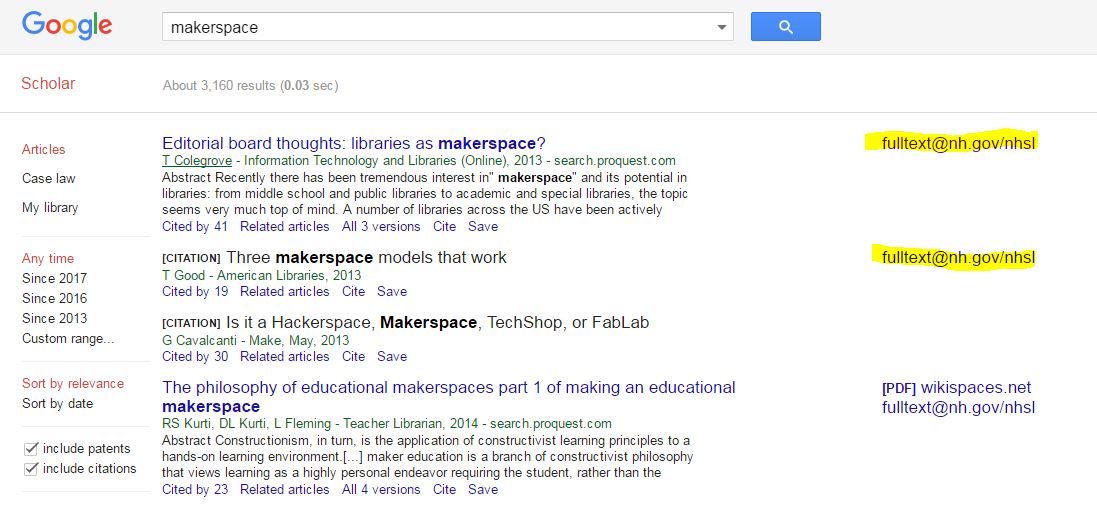
Click to Enlarge Image
EBSCO Results in Google Scholar