
Have you ever wanted to collect responses from a group of people without overflowing your inbox? Look no further than Google Forms. Here is how it works: You create a form — adding in the questions you want answered — and share the link with others. They submit answers to your questions. All of their responses are compiled into a spreadsheet. Let’s learn how!
You will need a Google account to access Google Drive. You do not need a Gmail account, but if you are already a Google/Gmail user, simply head to https://drive.google.com
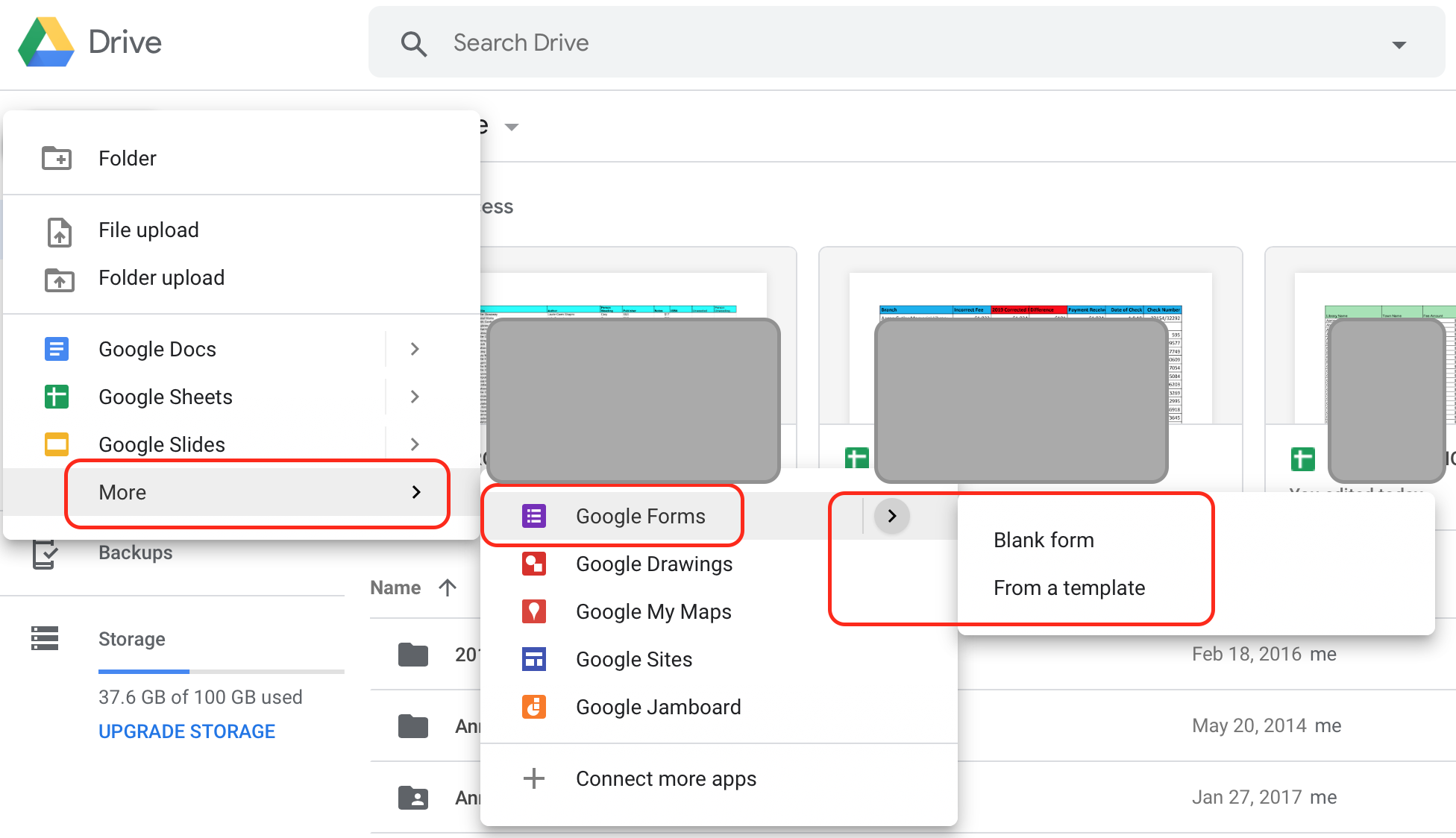
Click on “New” in the upper-left corner of the screen, select “More” to see more options, and then “Forms.” You can either create a blank form or use one of the templates.
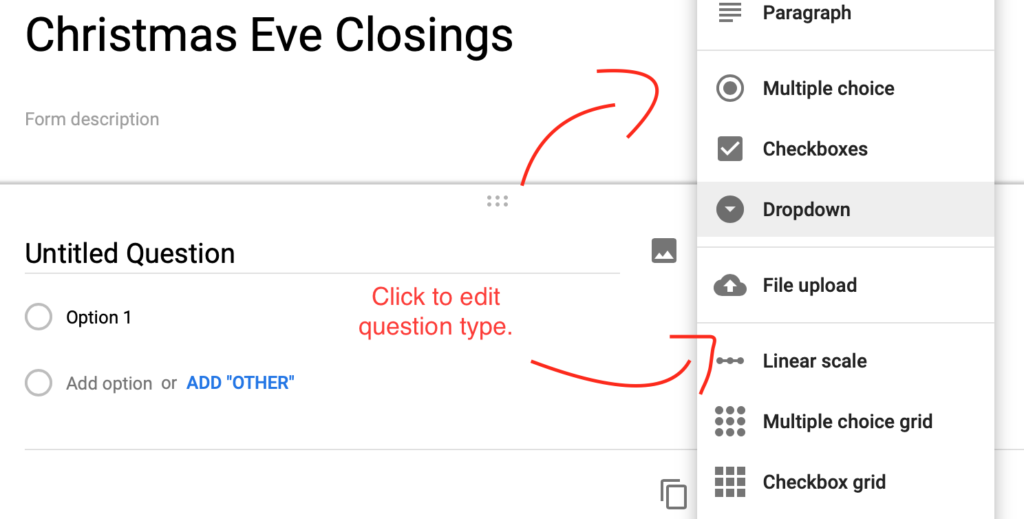
Select your question type by clicking on the question “block’ and selecting the answer format that best fits the question.
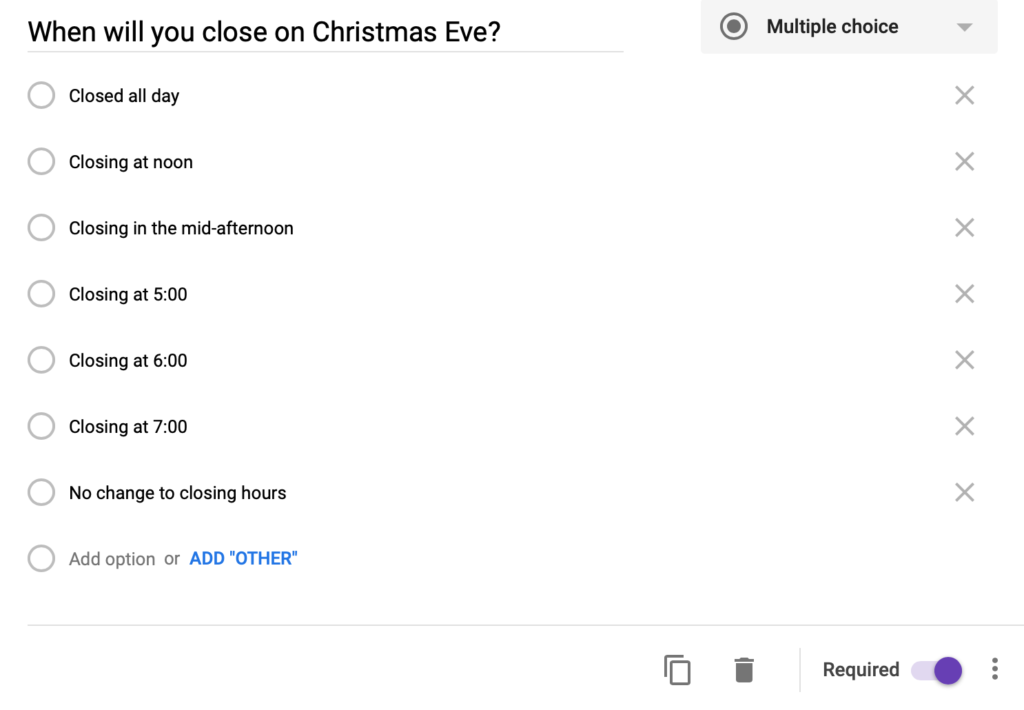
Add your answer selections, as needed…
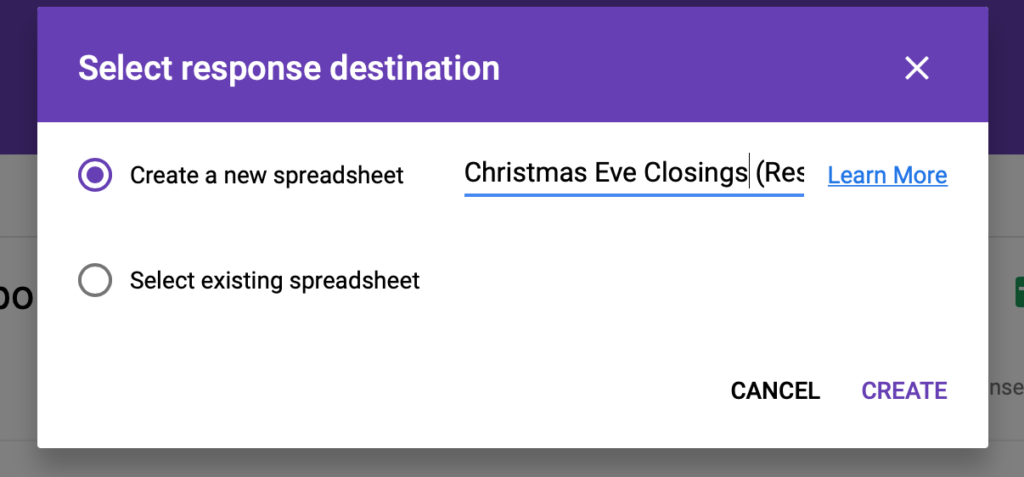
After you have completed writing the form, click on “Responses” and opt to collect responses in a spreadsheet by clicking the small green icon. Be sure to create a new spreadsheet and to give it a descriptive name.
Click “Preview” to find the URL to share with others.

When you click on the icon, the public form will open in a new tab. Click on the URL to expand it and copy the entire URL of the new tab and paste the link into an email.

Finding your form and answer sheet:
Google Drive works best when you organize your files into folders and name files with intuitive descriptions. You should be able to search your drive for the form name or locate the correct folder. By default, your new response spreadsheet will be created in the same folder as your form. If you decided to relocate either part, be sure to move the other half too!