
From EBSCOAdmin, it is possible to change the search results for younger students. You will need access to EBSCOAdmin to make these changes.
- Log into EBSCOAdmin.
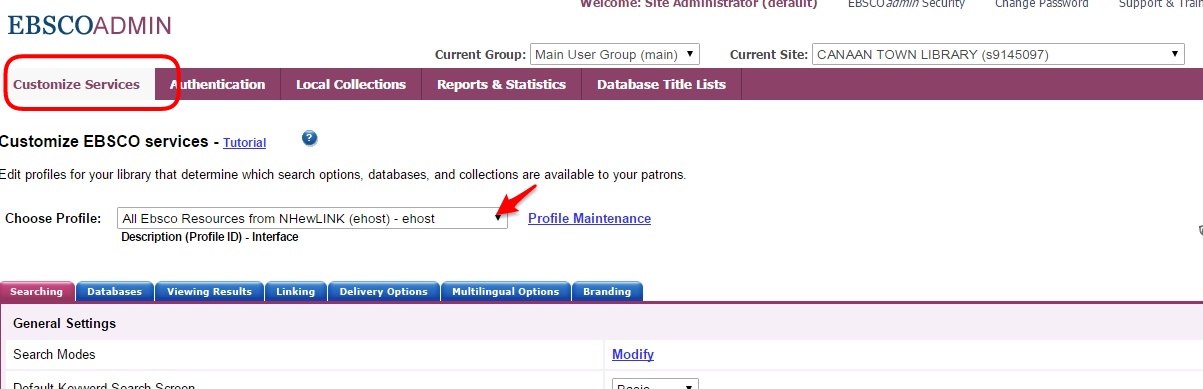
- From the Customize Services “tab…”
- Select “Explora Primary Schools” from the dropdown menu.
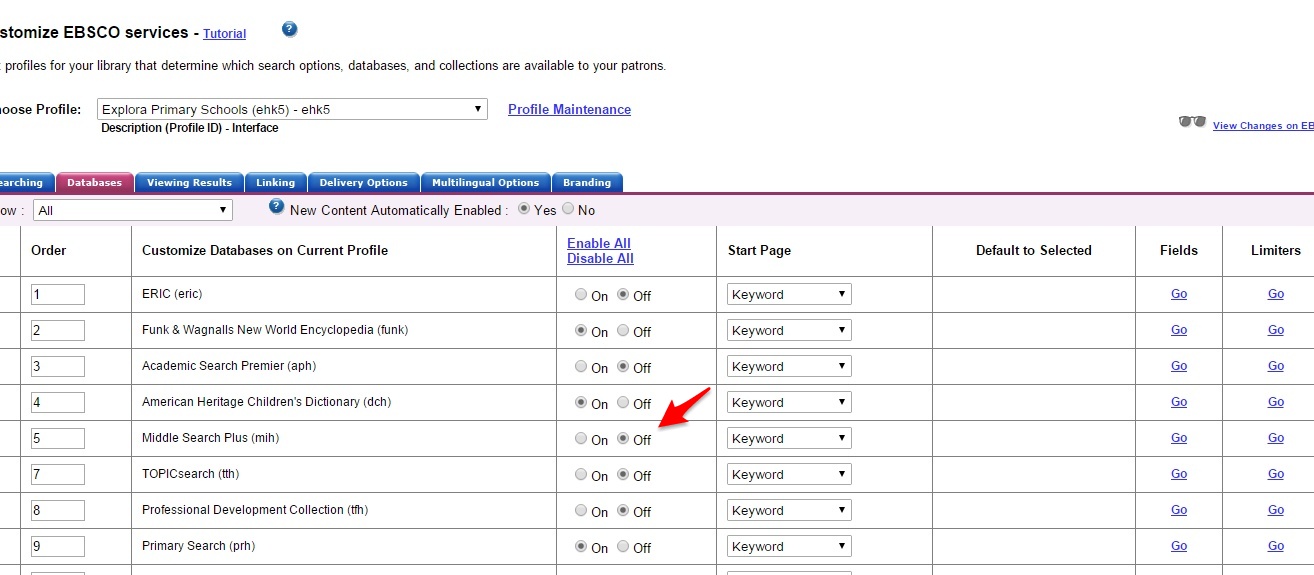
- Move to the “Databases” tab…
- Turn off Middle Search Plus and Topic Search — and any other databases you don’t want to appear in the search results.
- Submit your changes.
Customizing Explora for Younger Students