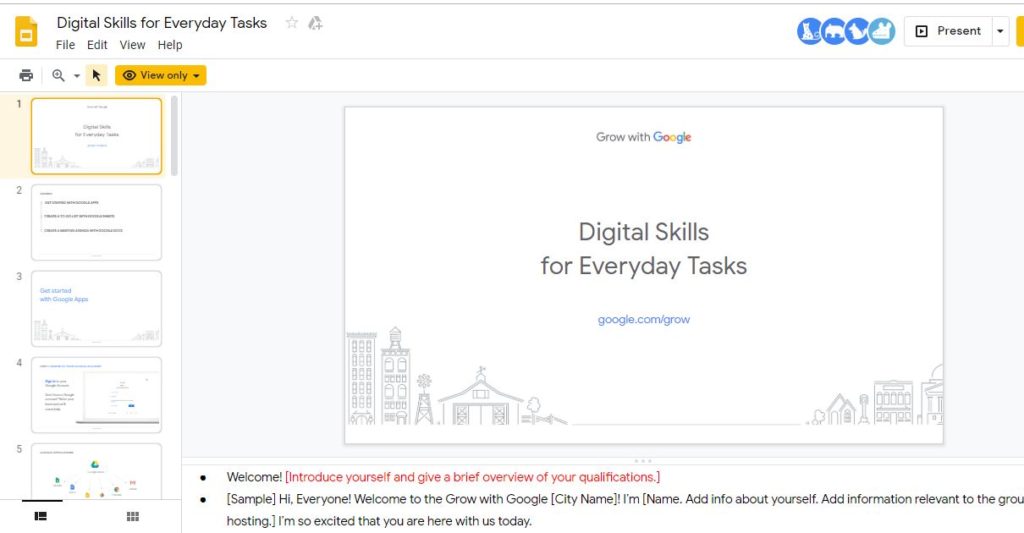
This is part 2 in the Grow with Google posts. Read through part 1 for general information.
Before I could register a workshop, I had to apply to become a partner. This can be started at https://grow.google/partners/.

In the partner application, librarians will be asked to provide contact information for the librarian and the library, as well as some questions about who the organization serves.
Please note that a Grow with Google representative has a full list of the public libraries in the state and all NH public libraries should be able to apply and receive partner status. However, if anyone has any problems, please let me know.
Once I had partner status, I was able to log into the site to view the available workshops. In this case, from Resources >> Workshop presentations, I have chosen to learn more about the Digital Skills for Everyday Tasks. After reviewing the presentation, I decided that this would be a good workshop to offer my users.
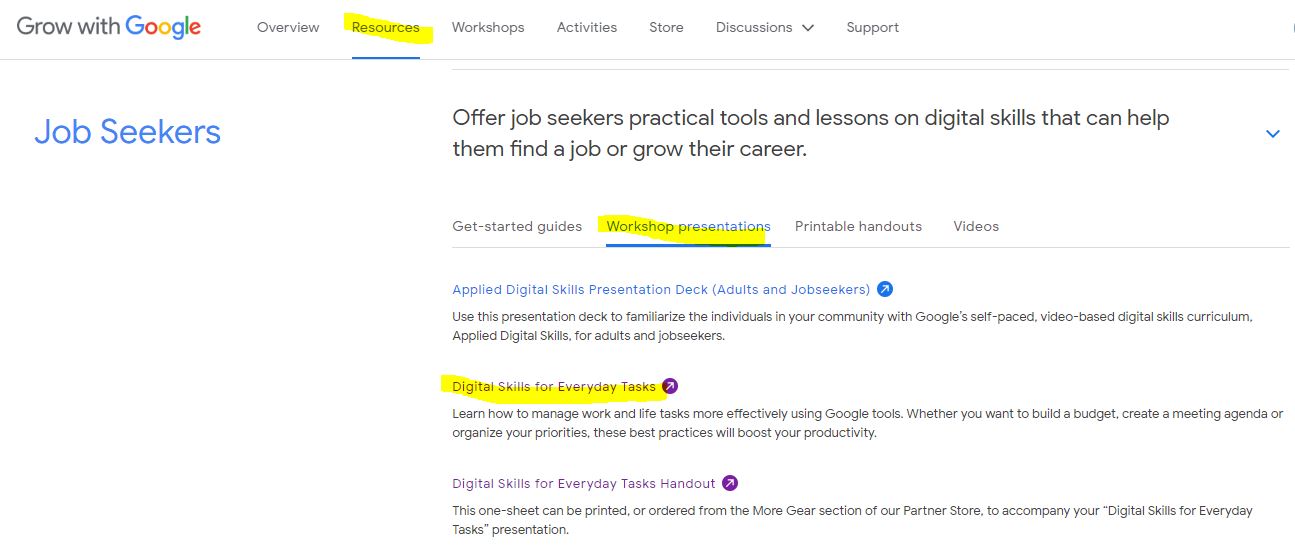
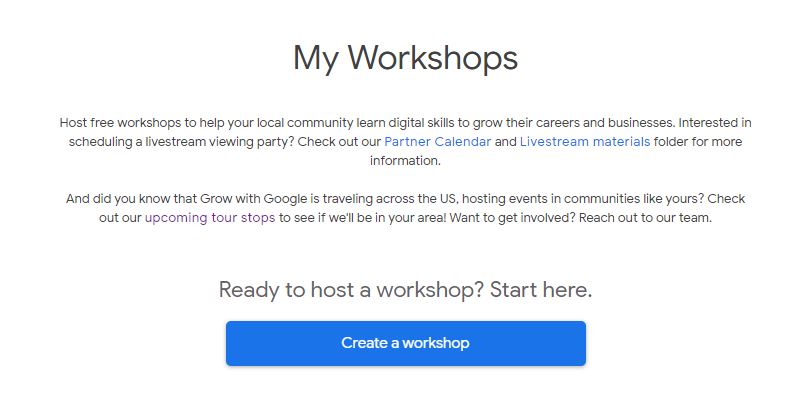
Now that I know what I want to teach my users, I can visit the Workshops tab and create a workshop.
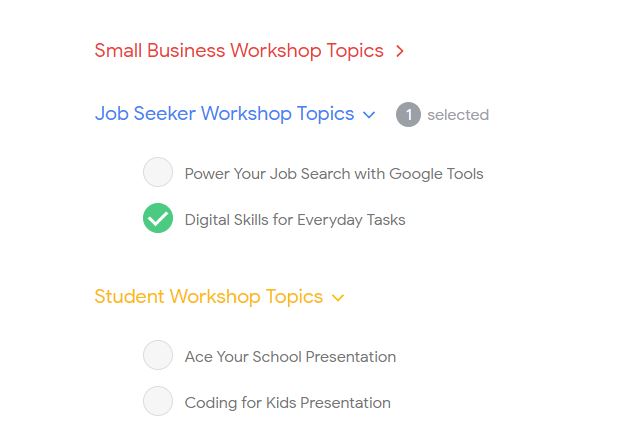
I click to expand the topics and select the Digital Skills for Everyday Tasks workshop.
After adding the time, location, and a description of the workshop, a workshop page is created for me. This is editable at a later date.
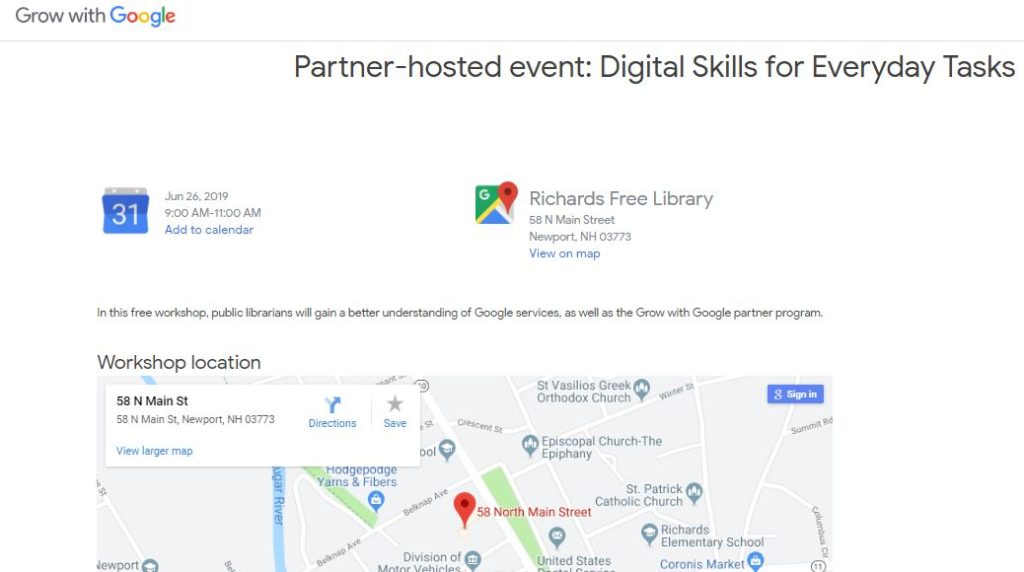
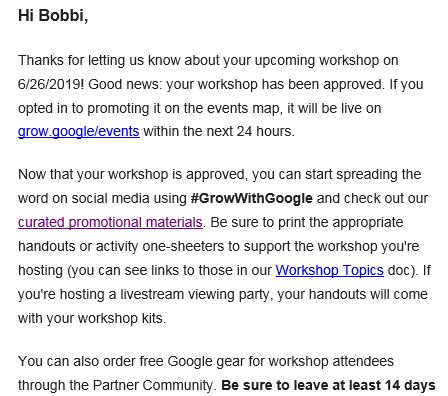
I received an email providing links to the promotional materials, workshop presentation(s), and to the store where (had I scheduled the workshop earlier) I could place an order for a free workshop kit.
Note: Your workshop will need to be approved by the Google team. I received the notification email within an hour or so. When creating the workshop, you have the choice of providing your contact information and publishing it to the Grow with Google event map.
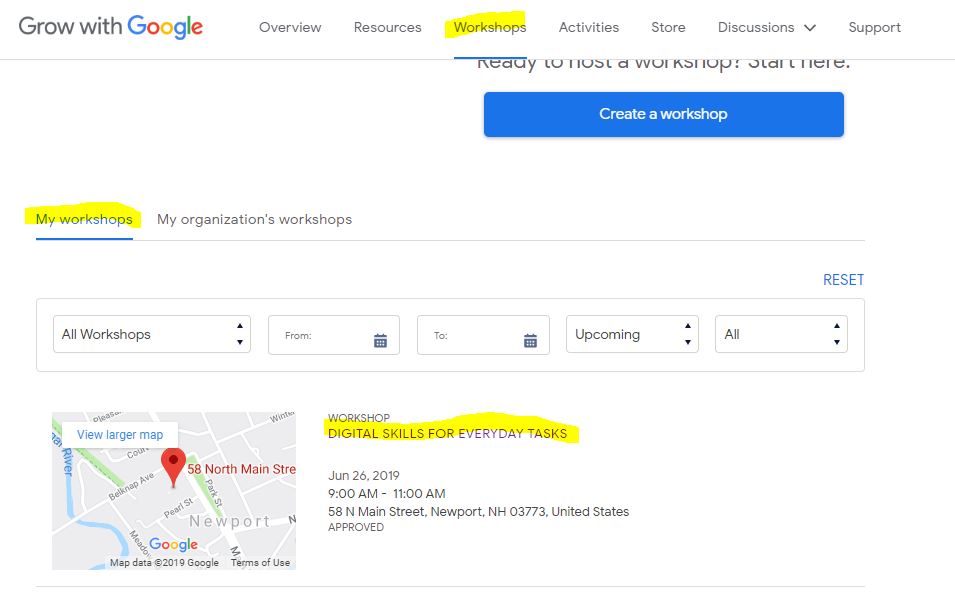
I can find my workshop listing within the Partner pages >> Workshops >> My workshops.
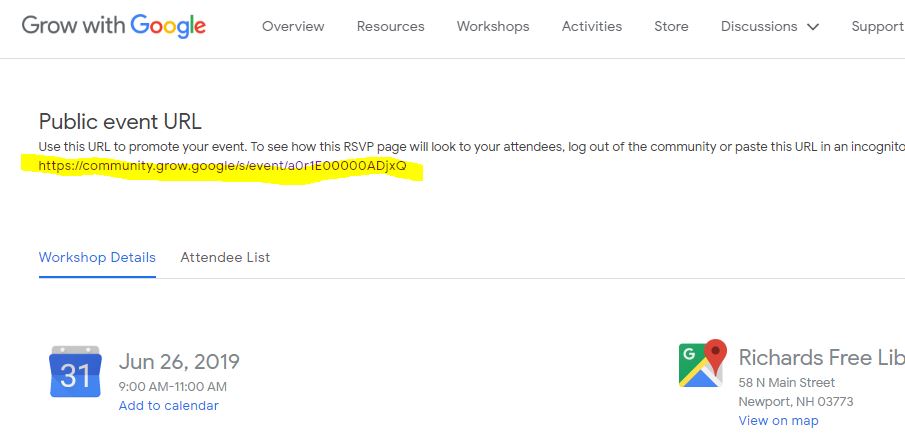
Clicking on the workshop title link brings me to the administrative page for the event. I can see a public URL for advertising the event and, most importantly, who has registered for the event.
To prepare for the workshop, I will review the presentation notes and make sure that I understand the tasks that I will need to demonstrate during the session.