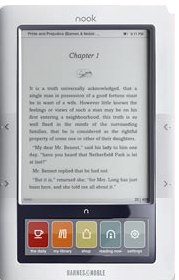
 If you are a PC and Nook user, this tutorial is made for you!
eBooks on a PC & Nook Transfer
View more presentations from bibliotecaria.
Using a PC & Nook to Enjoy eBooks

If you are a PC and Nook user, this tutorial is made for you!
Comments are closed.
Help! I just bought a Nook.I downloaded Adobe Digital Editions and Authorized my device. I transferred the ebook to Nook but when I try to open the the document it says on my Nook “User Not Activated”. I’m frustrated and hope you can help.
Bronia
Another librarian mentioned that the same thing happened to her recently, too. She recommended the following forum thread:
http://forums.adobe.com/thread/626420
In her words:
“Plug the Nook into the computer and simply delete the Adobe Digital Editons folder. I deleted the two that were on my Nook. Unplug the Nook. Open ADE on your computer. Plug your Nook back in. Window pops up and asks you to authenticate your Nook. Click yes (or whatever the prompt is) and you are all set.
Yes, I had the Nook activated/authenticated before, but it simply stopped to work. For no obvious reason. Anyways, the solution is to then just delete all ADE content on the Nook and to re-authenticate/re-activate it..”
I hope this is helpful to you! If this doesn’t work, please contact your local librarian and them to contact OverDrive’s tech support on your behalf.
-Bobbi
I have the sony ereader I dont know if I can use this,it souds like only the nook can
Hi Claire,
Try this presentation instead:
http://tech.nhlibrary.org/2010/03/steps-to-enjoying-ebooks-pc-version/
Even better, our NHDB blog is better organized than my site:
http://nhdbooks.blogspot.com/p/getting-started-with-ebooks.html
Bobbi 😉