
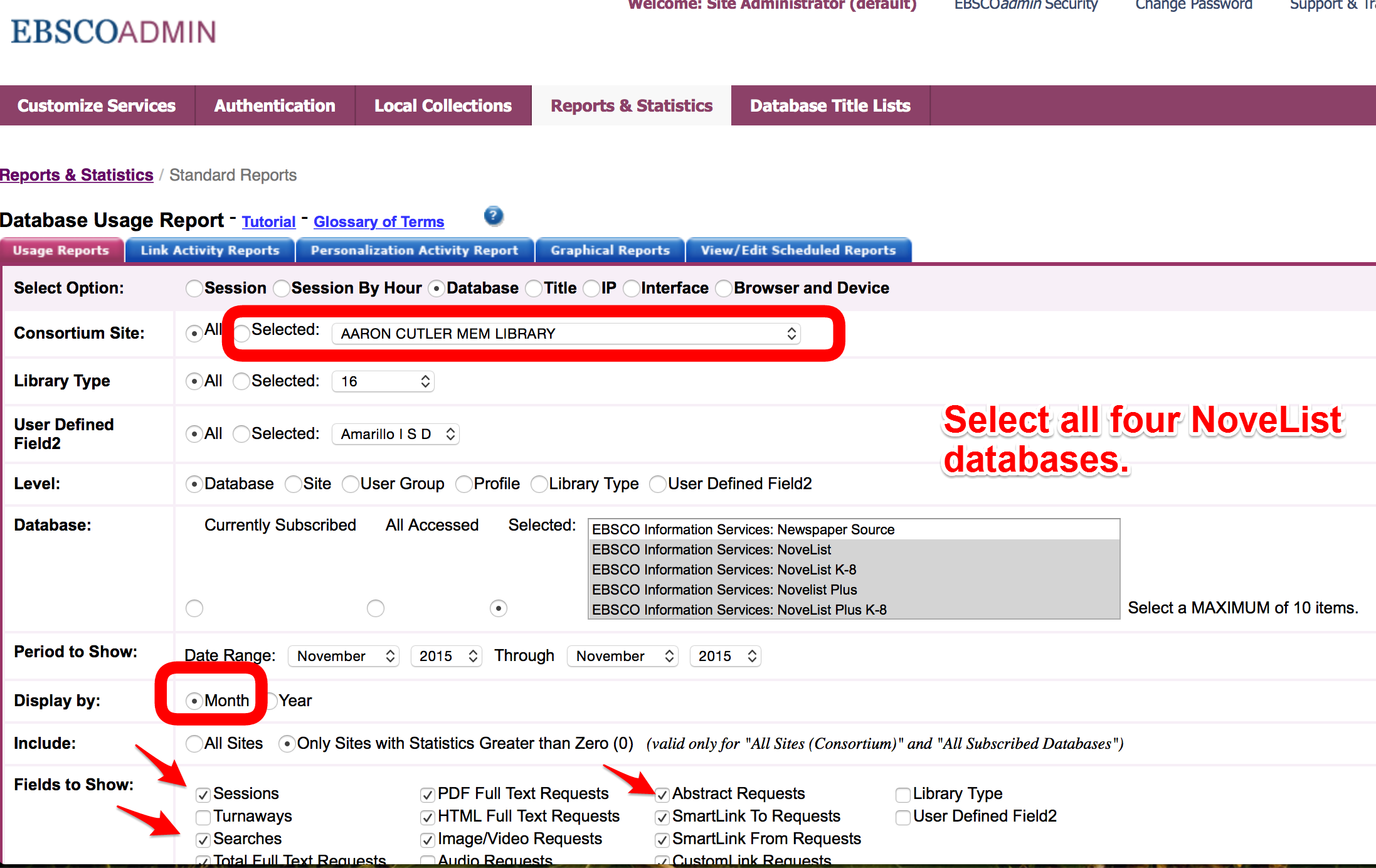
Here are instructions on running a report in EBSCOAdmin for the NoveList databases:
- Click on the “Reports & Statistics” tab.
- Select your library from the drop-down list.
- Ctrl-click to select all four of the NoveList databases at once.
- Display by month for monthly statistics.
- Be sure to have the following checked:
- Sessions
- Searches
- Abstract Requests (most of the results will be abstracts from NoveList, not full text views.)
It is possible to view the results as a webpage (HTML) or receive an email of the statistics as a spreadsheet (CSV). The latter is recommended.
Checking NoveList Statistics